
Joining the Test Team
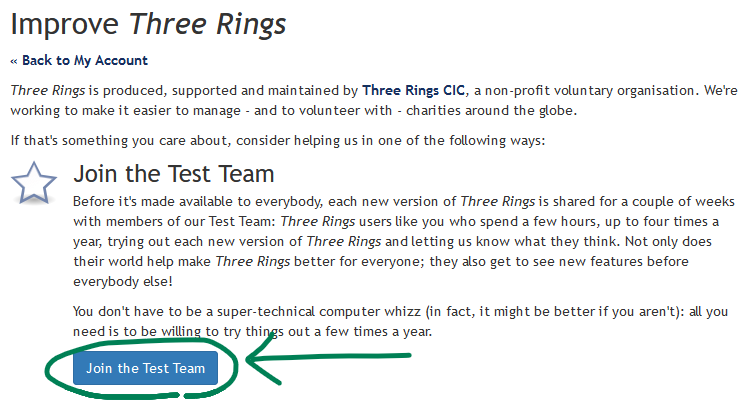
If you’re interested in helping test new versions of Three Rings before they’re made available to everybody, please consider joining our Test Team. To do this:
- Log in to your Three Rings account as normal at www.3r.org.uk
- Click My Account (top right), scroll to the bottom, then click How can I help?
- Click Join the Test Team
What’s involved in testing?
Once you’re on the Test Team, you’ll receive an email from us each time a new version of Three Rings goes into testing – this is usually about three times a year. You’ll be given the address of our beta test site: a temporary copy of Three Rings running the latest new version.
You can use your own Three Rings account or some shared/demo credentials we’ll make available to you.
If using your own account, note that while the beta test system is completely separate from the live system (e.g. signing up to a shift in one won’t be reflected in the other), it can still send real emails and text messages, so take care if testing features that result in emails or text messages being sent so as not to confuse your fellow volunteers!
Testing takes place over a two week window. You can spend as much or as little time as you like testing. You can focus exclusively on the new features, or you can test the features you use every day.
If you find any bugs, let us know as soon as possible so we can fix them before the live release.
Leaving the Test Team
You can leave the Test Team at any time, as follows:
- Log in to your Three Rings account as normal at www.3r.org.uk
- Click My Account (top right), scroll to the bottom, then click How can I help?
- Click “You’re on the Test Team. Click here if you want to leave it.”
Alternatively, get in touch (below) and we can help remove you from the team.
Any questions?
Get in touch with our support team if there’s anything you need to know to help you decide about whether to join the Test Team or what to do during a test period.
Thanks!